From the team that empowered over two million global brands.
Low-quality images limit how far your content can go.
Kreator’s Image Upscaler enhances resolution and reconstructs detail so your visuals stay sharp, clear, and usable at any size.

Detail Reconstruction · High-Resolution Output · Sharper Text & Edges
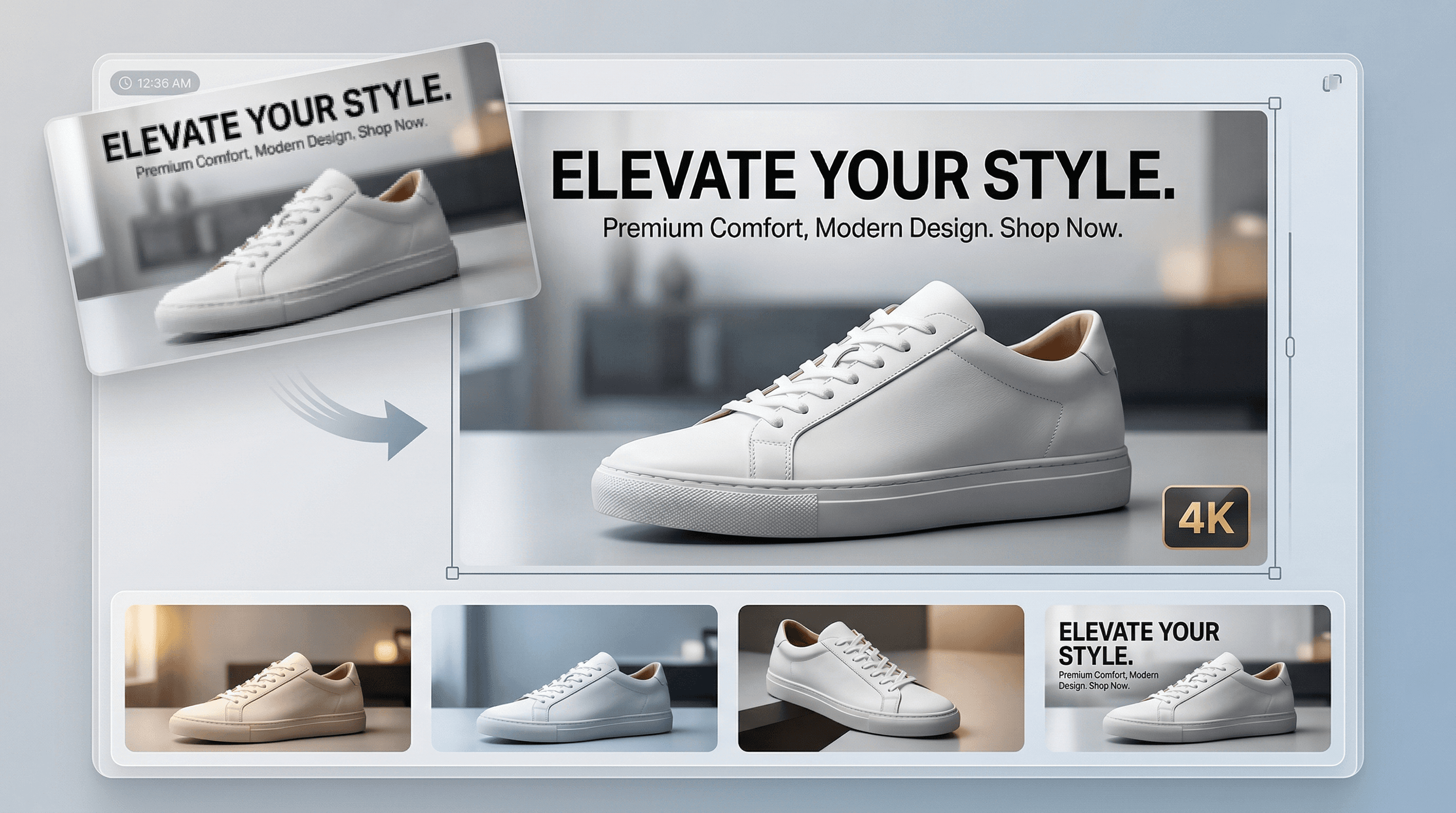
When image quality breaks down, everything else does with it.
Low-resolution images lose the detail that makes them usable. As images are resized or reused, clarity breaks down. Edges soften, text becomes unreadable, fine details disappear.
What looks acceptable at one size quickly becomes unusable at another.
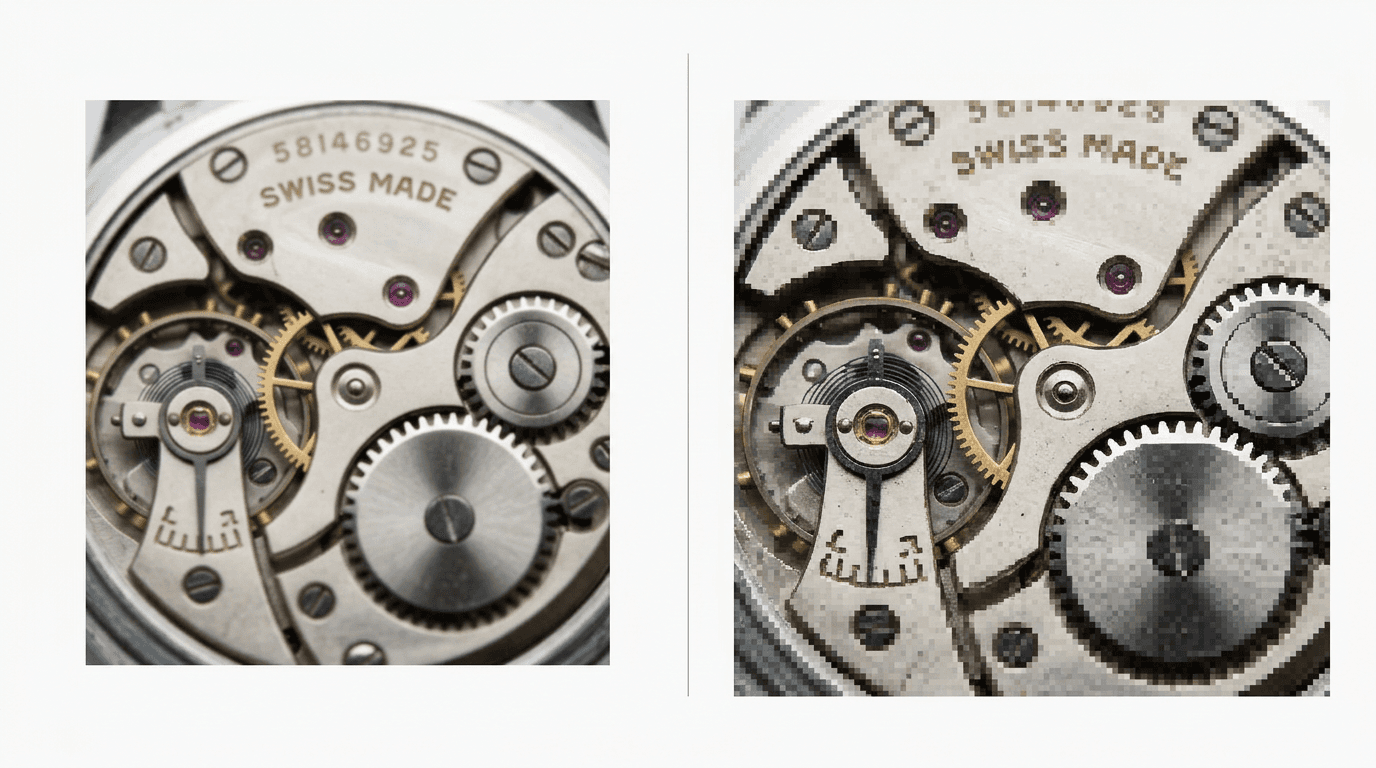
Elevate your images to match your brand standards
The wrong tool can provide inadequate assets. Blurry visuals. Soft edges. Lost detail. Kreator restores clarity and detail so your assets hold up across ads, product pages, and high-resolution formats.
01
Detail Reconstruction, Not Just Resizing
02
Consistent, High-Resolution Output
03
Scalable Image Enhancement
Detail Reconstruction
Low-resolution images don’t just look small they lose the details that make them usable.
Kreator enhances:
textures like fabric, skin, and product surfaces
edges and fine lines that define shapes
clarity in text, labels, and small elements
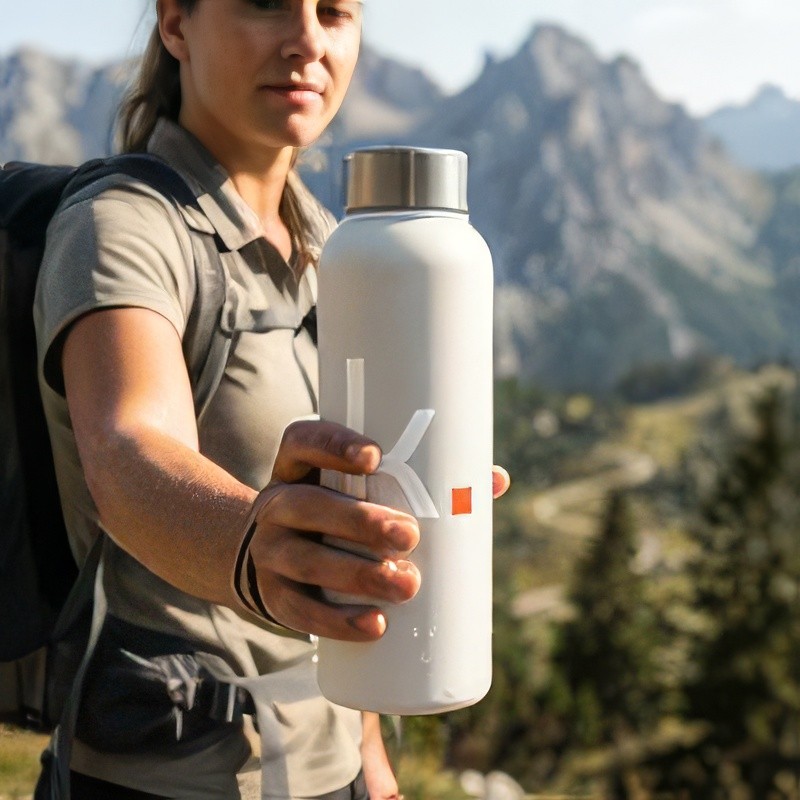
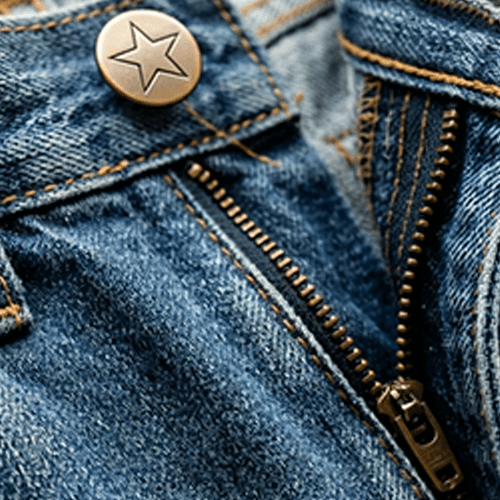
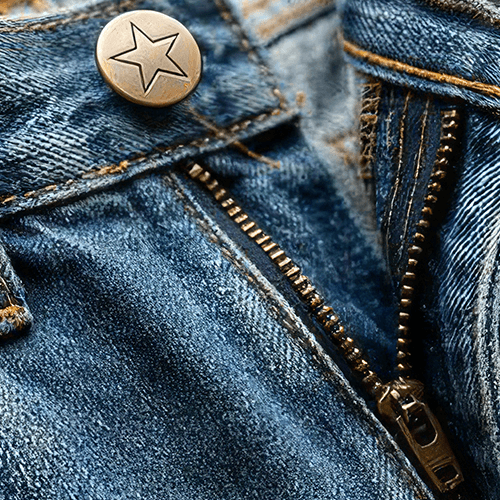
Consistent, High-Resolution Output
Upscaling isn’t just about quality it’s about where the image can go next.
Kreator prepares your images for:
ecommerce product pages and marketplaces
paid ads and high-performance creative
presentations, websites, and high-resolution displays
Scalable Image Enhancement
Most low-quality images aren’t useless, they’re just not usable yet.
Kreator helps you recover:
old or archived images that lack resolution
compressed social or downloaded assets
product photos that don’t meet quality standards


Built for Real Content Workflows
Ready to upgrade your image quality without losing detail?
Upscale your image in three steps
Go from low res to high quality in just a few clicks.
01
Upload your image
Start with any image. The system analyzes pixel density and identifies areas where detail has been lost or compressed.
02
Generate upscaled version
Instead of stretching existing pixels, the system reconstructs textures and edges based on learned image patterns.
03
Access ready to use asset
The upscaled asset is automatically added to your asset library.
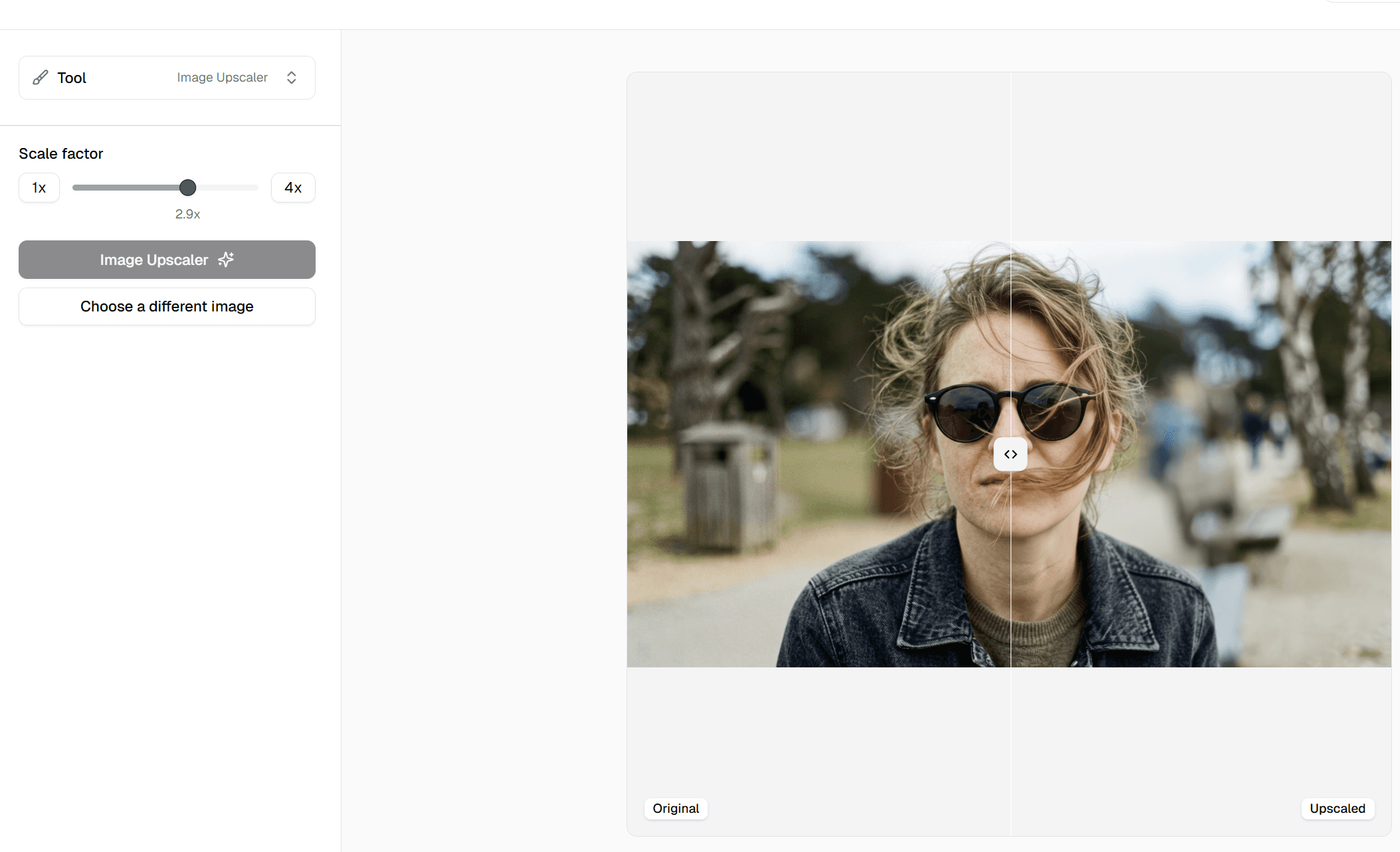
One tool, multiple use cases
Upscale your images, then reuse them across teams, formats, and channels.
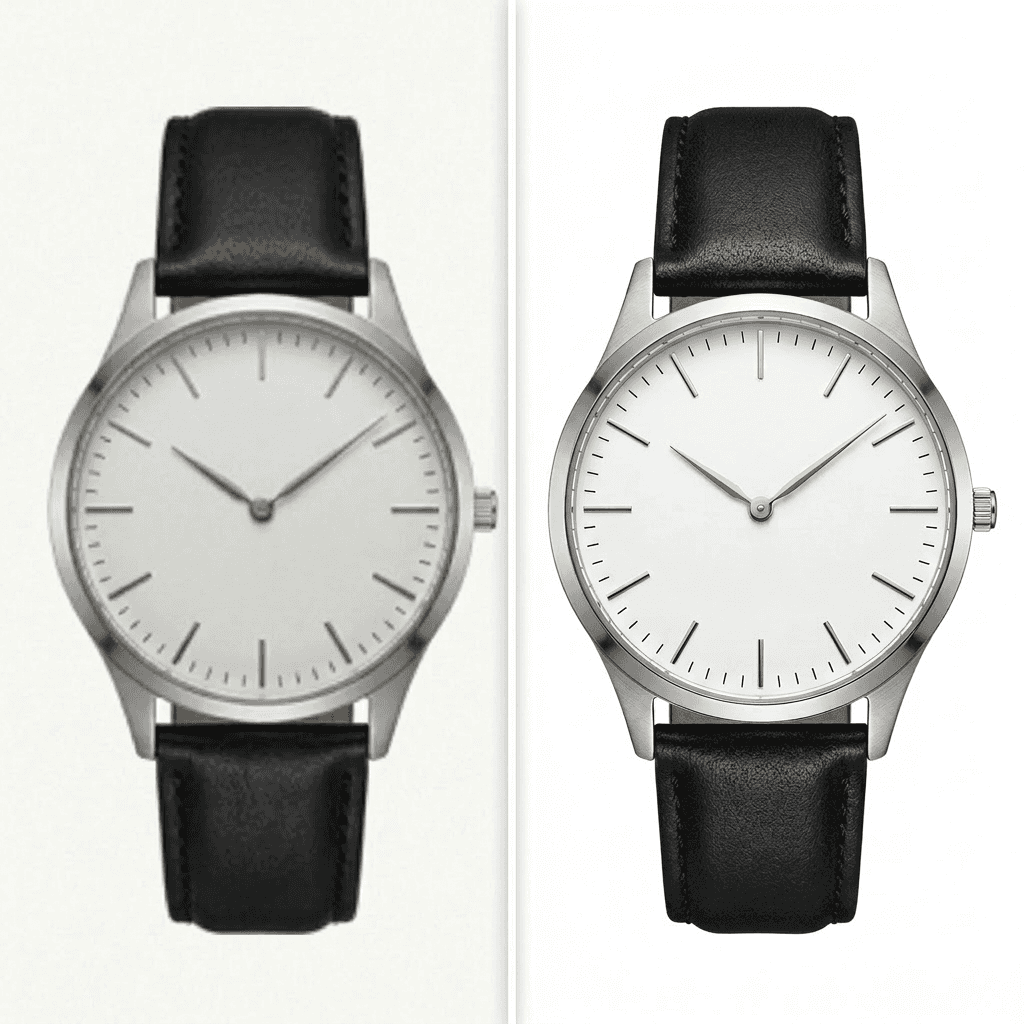
E-commerce
Fix low-res supplier images for PDPs and marketplaces
Paid Ads
Sharpen creative for better clarity and performance
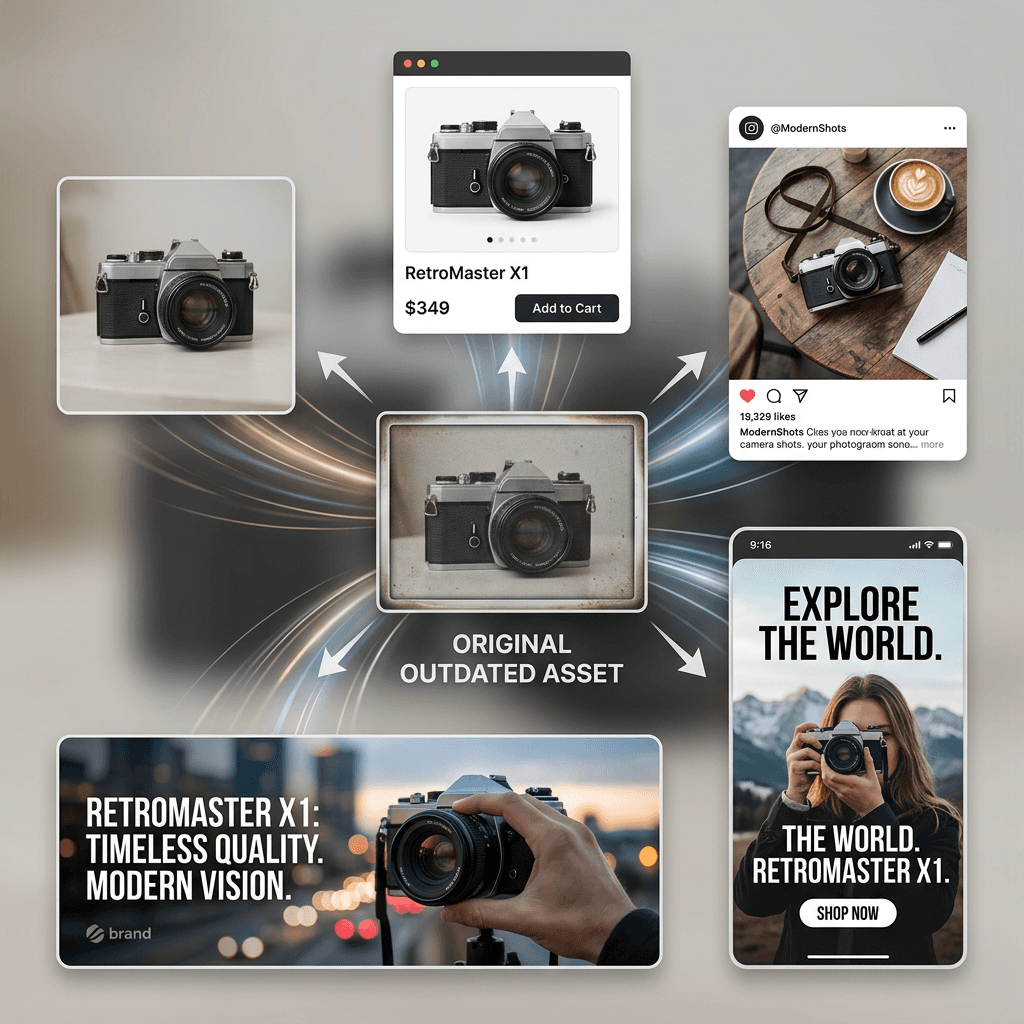
Content Repurposing
Turn legacy assets into usable content again


Creative Operations
Standardize quality across all outputs
Frequently Asked Questions
What does the Image Upscaler do?
Can I upscale an image without losing quality?
What types of images is this best for?
When should I use the Image Upscaler?
How long does it take to upscale an image?
What image formats does the tool accept?
Stop letting low-quality images limit your content.
Sharper visuals. Better performance. No extra work.