From the team that empowered over two million global brands.

Premium A+ content images, built from your product photos.

Kreator’s Amazon Image Builder turns your product images, features and brand guidelines into Premium A+ content tiles for desktop and mobile, sized for Amazon’s Premium Full Image and Premium Mobile Image modules.

Desktop and Mobile Formats · 1–9 Tiles per Format · On-Brand A+ Content
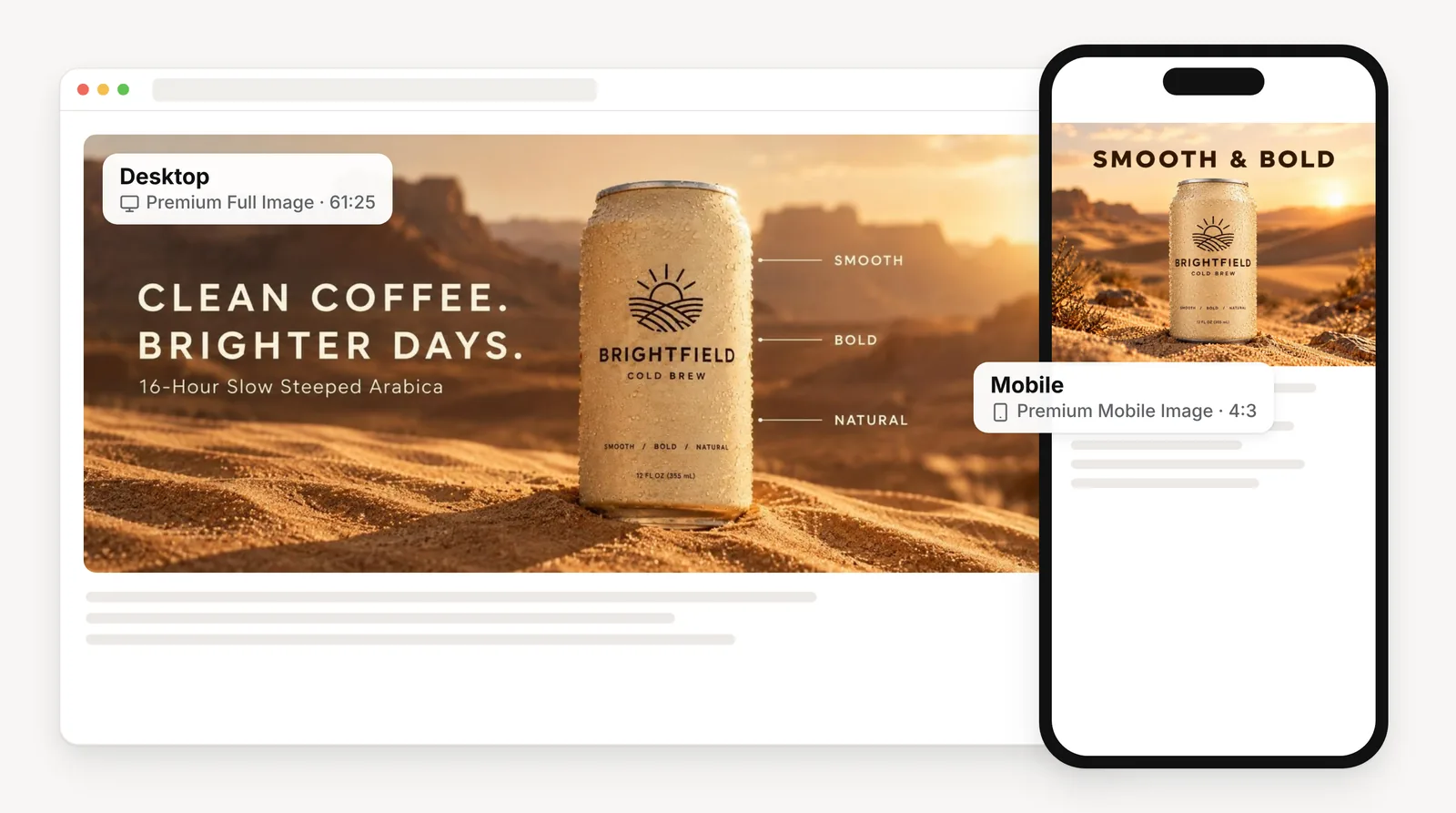
Brightfield Cold Brew demo A+ content: a wide desktop tile in a browser window next to the matching mobile tile on a phone

Great listings shouldn’t wait on a designer.

Shoppers who scroll past your bullet points land on your A+ content. That’s where a listing earns trust or loses it.

But Premium A+ modules need their own designs: wide desktop tiles, separate mobile tiles, and copy and imagery that match across all of them.

So the module stays empty, or gets filled with product photos that were never made for it.

Shoppers who scroll past your bullet points land on your A+ content. That’s where a listing earns trust or loses it.

But Premium A+ modules need their own designs: wide desktop tiles, separate mobile tiles, and copy and imagery that match across all of them.

So the module stays empty, or gets filled with product photos that were never made for it.

Grid of Amazon A+ content modules where most tiles are dashed placeholders marked Not designed yet

From product photos to a full A+ module

Kreator already knows your product, your brand and who you sell to.

Pick the formats you need, choose how many tiles to make, and get desktop and mobile images that tell one consistent story.

Kreator already knows your product, your brand and who you sell to.

Pick the formats you need, choose how many tiles to make, and get desktop and mobile images that tell one consistent story.

01

Desktop and Mobile, Together

02

Built From Your Product Profile

03

A Full Module in One Run

Desktop and Mobile, Together

Premium A+ content uses different image shapes on desktop and mobile. Kreator builds both from the same brief.

Choose one or both formats:

  • Premium Full Image for desktop (61:25)

  • Premium Mobile Image for mobile (4:3)

  • matching copy and visuals across both

Choose one or both formats:

  • Premium Full Image for desktop (61:25)

  • Premium Mobile Image for mobile (4:3)

  • matching copy and visuals across both

Bamboo Sports A+ content example made with Kreator, shown as a desktop tile and a matching mobile tile
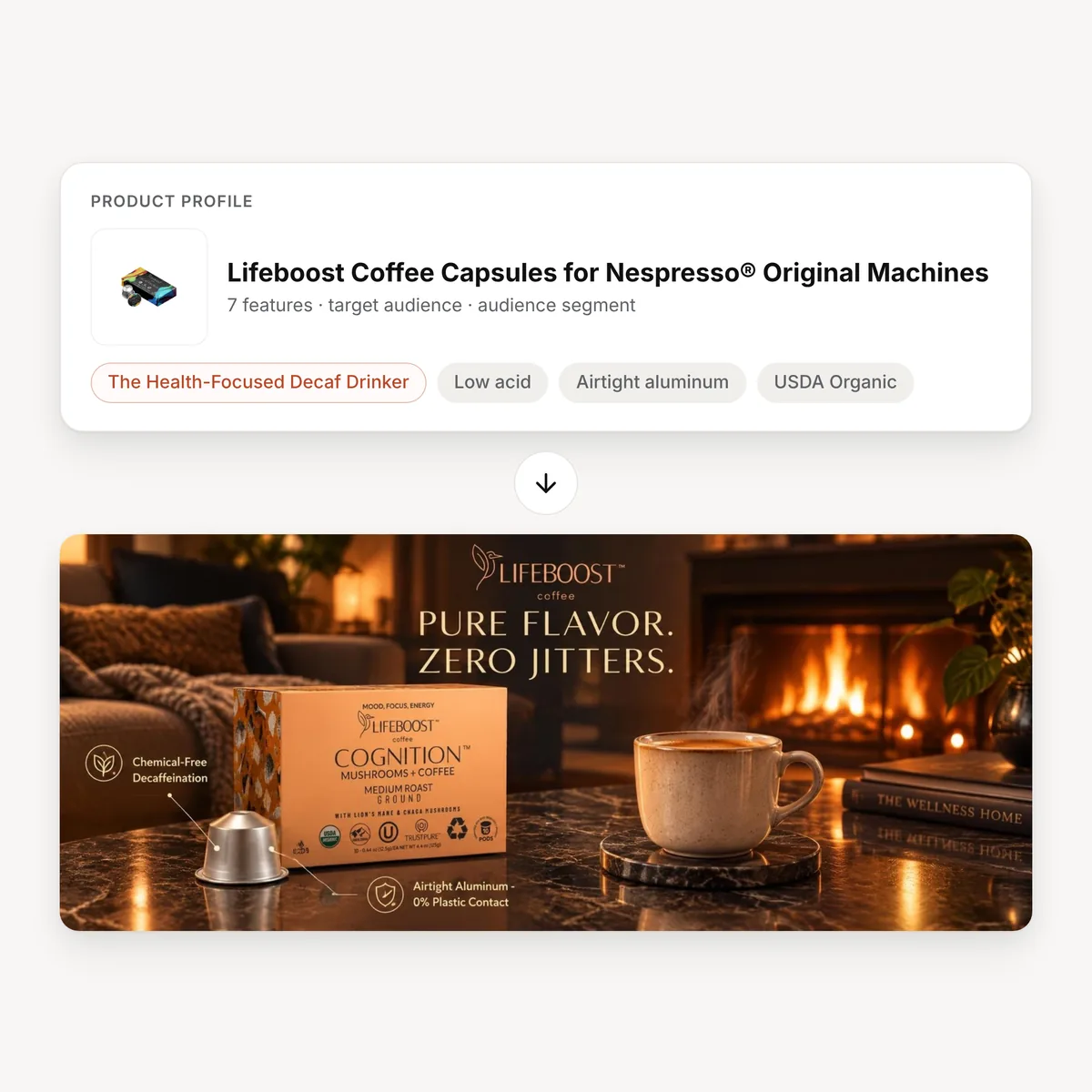
Lifeboost product profile with the audience segment The Health-Focused Decaf Drinker, leading to a Lifeboost A+ tile made with Kreator

Built From Your Product Profile

Tiles are written and designed from what you’ve already told Kreator about the product and the people who buy it.

Kreator uses:

  • your product images

  • key product features

  • the audience segment you choose

  • your brand guidelines and custom instructions

Kreator uses:

  • your product images

  • key product features

  • the audience segment you choose

  • your brand guidelines and custom instructions

A Full Module in One Run

Generate every tile the module needs at once, instead of designing them one at a time.

In each run you can:

  • create 1 to 9 tiles per format

  • add instructions for tone, claims or layout

  • find every tile in your asset workspace

In each run you can:

  • create 1 to 9 tiles per format

  • add instructions for tone, claims or layout

  • find every tile in your asset workspace

Tiles per format selector set between 1 and 9, above three Bamboo Sports A+ desktop tiles made with Kreator

Ready to fill your A+ module?

Turn the product photos you already have into Premium A+ images.

Build A+ images in three simple steps

From product profile to desktop and mobile tiles

01

Pick your product

Choose a product profile with its images and features, or create a new one.

02

Choose formats and tiles

Select desktop, mobile or both, set how many tiles you want, and add an audience segment or instructions.

03

Generate and download

Kreator creates the tiles in your brand style. Download them and add them to your A+ content in Seller Central.

Bamboo Sports product photos turned into an A+ desktop tile and a mobile tile with Kreator

One tool, every listing

Example outputs made with Kreator for real brands and for Brightfield Cold Brew, our demo product.

SALKING A+ content tile made with Kreator
New Product Launches

Launch with a complete A+ module instead of an empty one, using the photos from your first shoot.
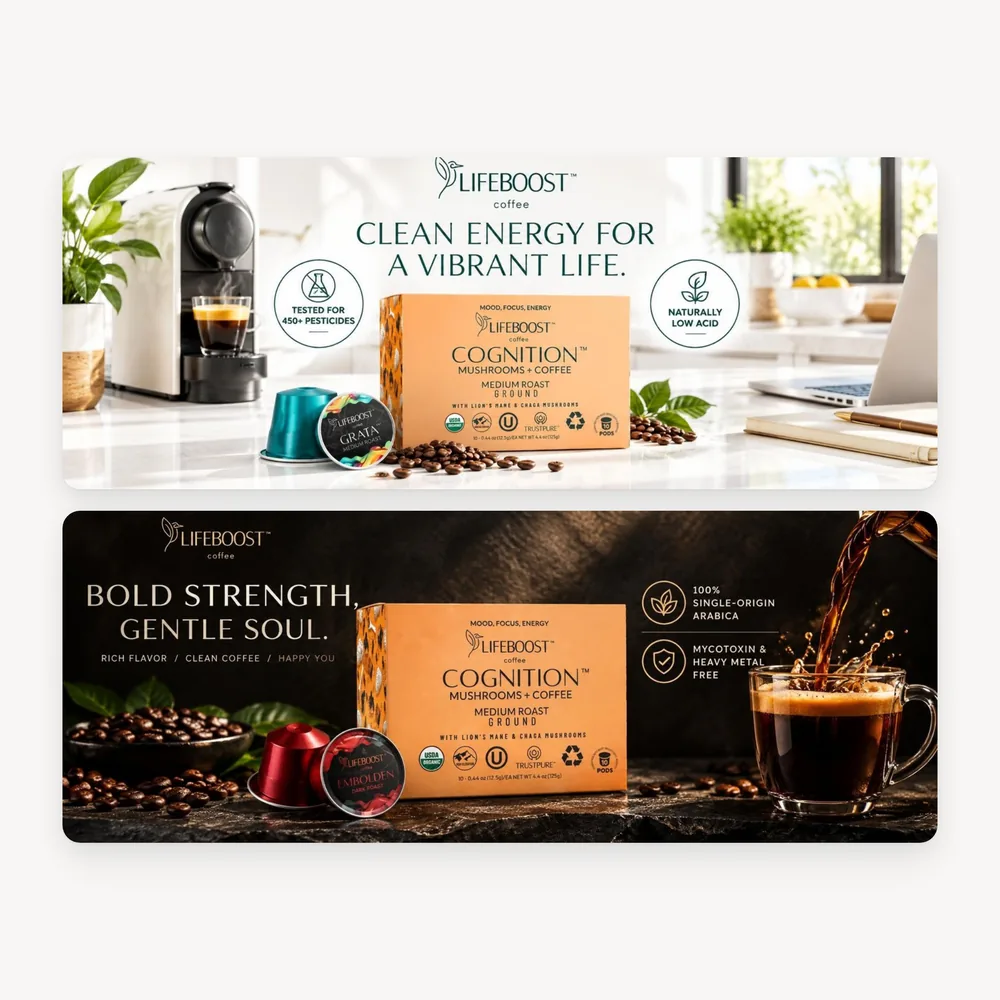
Lifeboost A+ content tile made with Kreator
Listing Refreshes

Update A+ content for a new season, claim or audience without starting a new design project.
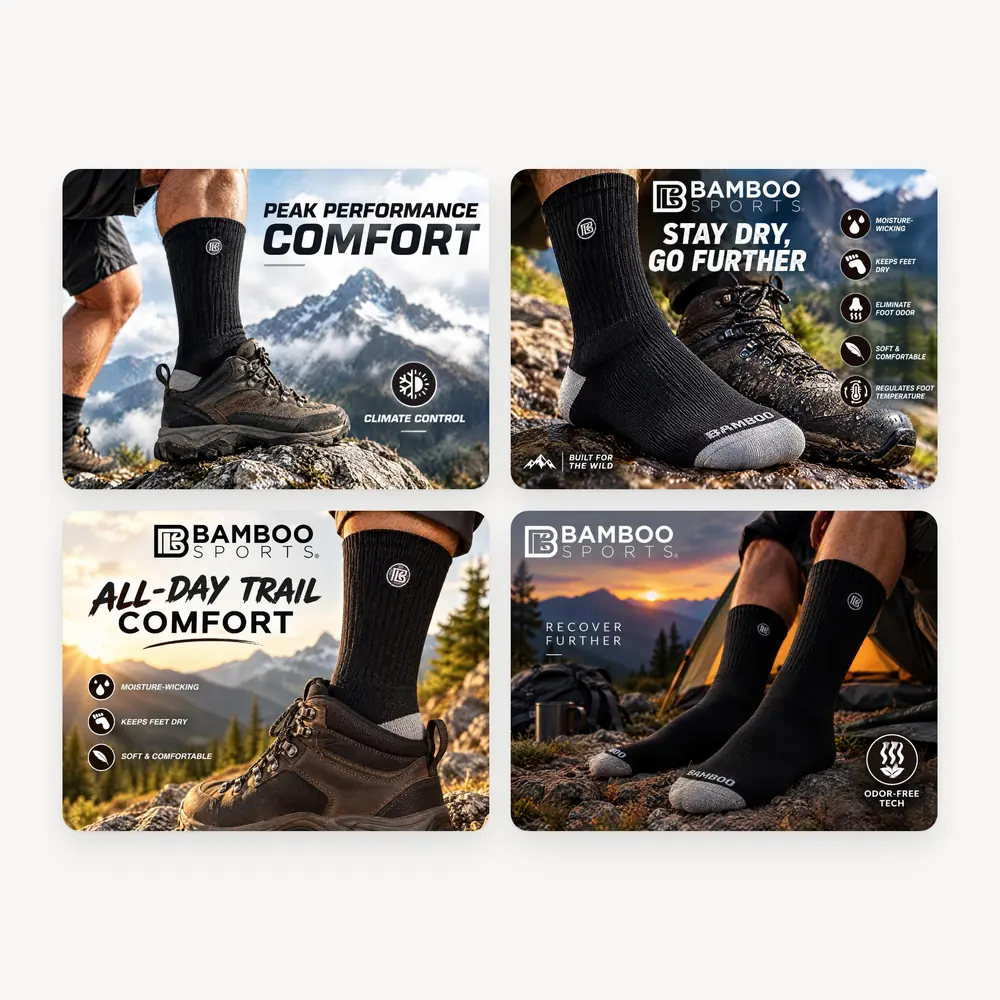
Bamboo Sports mobile A+ tiles made with Kreator
Mobile Shoppers

Give mobile shoppers tiles made for a phone screen, not desktop images squeezed to fit.
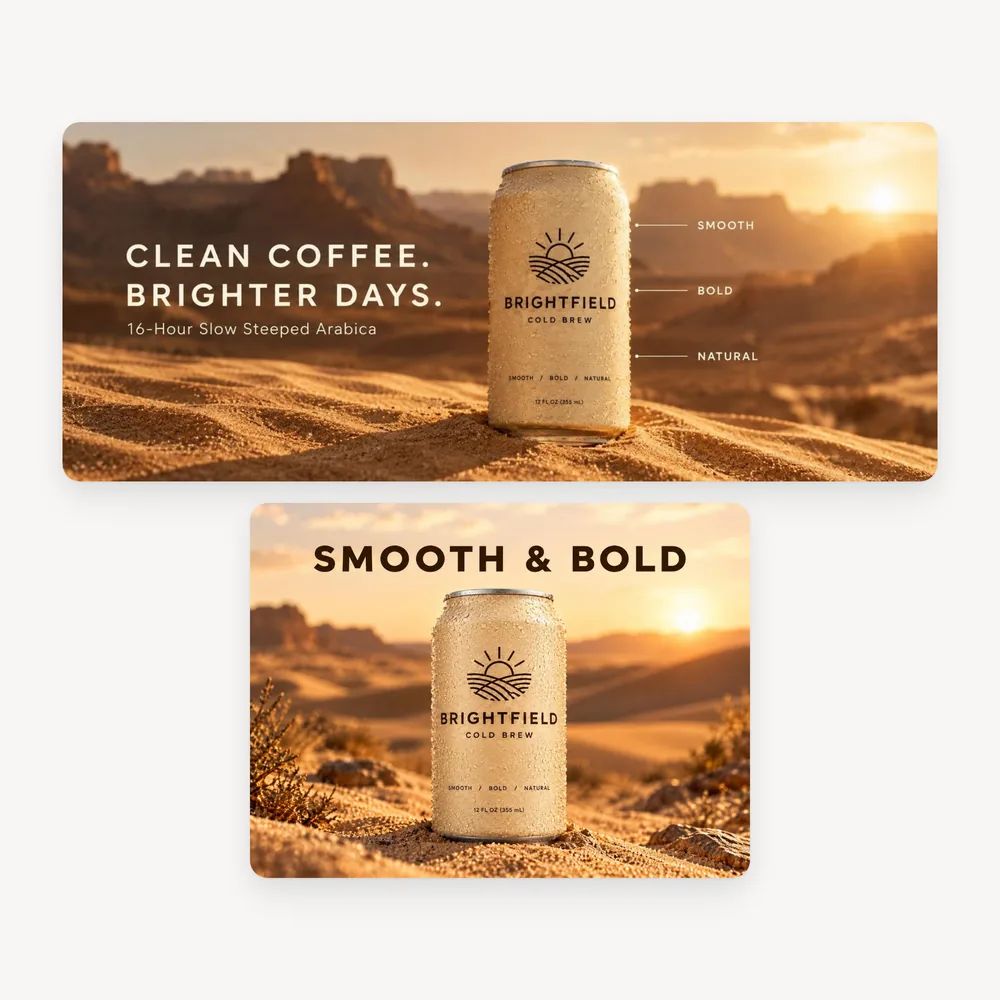
Brightfield Cold Brew demo A+ content tile
Growing Catalogs

Build A+ content across many products while keeping every listing on brand.

Frequently Asked Questions

What does Amazon Image Builder do?

Which A+ formats does it support?

How many images can I create at once?

What do I need to get started?

Does Kreator publish to Amazon for me?

How much does it cost?

Give every listing the A+ content it deserves.

Turn your product photos into Premium A+ images for desktop and mobile.